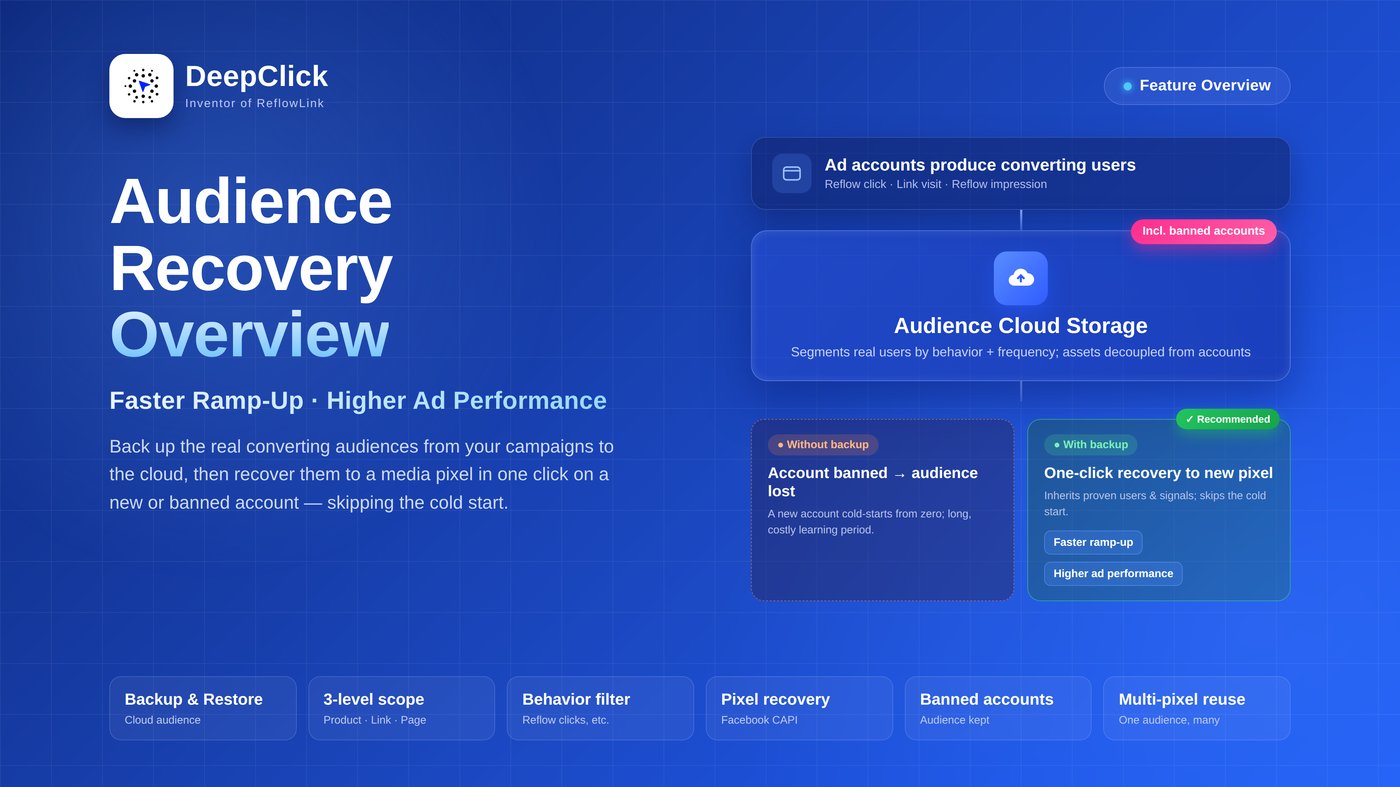
Audience Recovery: Faster Ramp-Up, Higher Ad Performance

Spinning up a new ad account means surviving the cold start all over again — the pixel knows nothing, so you burn budget and time re-learning who converts. Worse, when an account gets banned, the audiences you worked hard to build are wiped out with it. Audience Recovery solves both: back up the audiences you've already proven, and recover them whenever you need them.
⚡ In short: back up your proven converting audiences to the cloud, and recover them to a new account's pixel in one click — so the new account skips the cold start.
Want to see how to set it up in the backend? See the Audience Recovery Setup Guide.
1. What is Audience Recovery
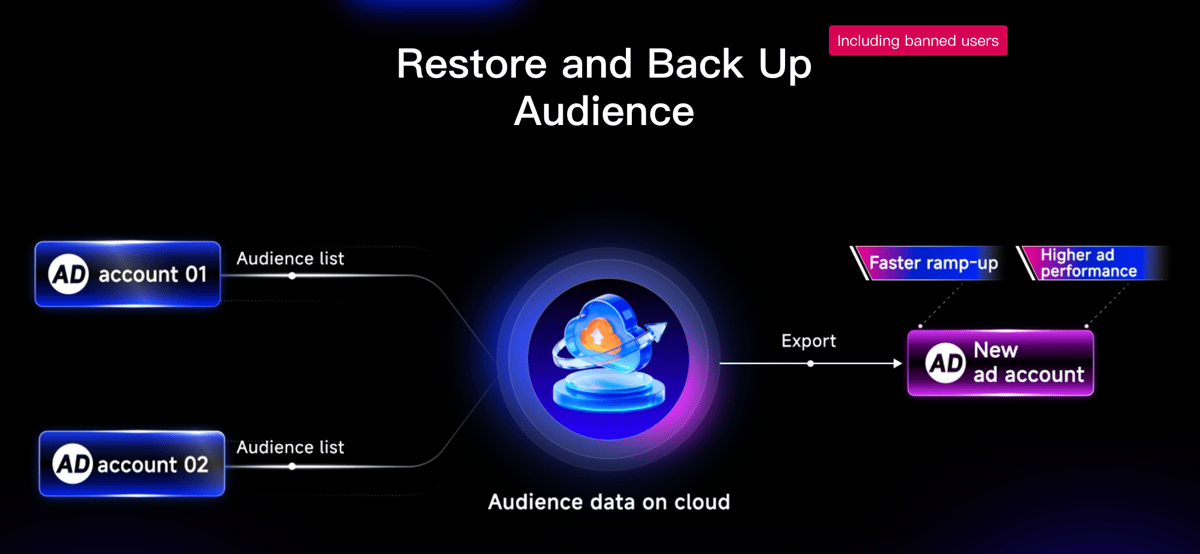
Audience Recovery is DeepClick's cloud backup-and-restore capability for ad audience packages.
It does two things:
- Back up — take the real converting audiences you've accumulated during campaigns and store them in the cloud (the "audience cloud storage");
- Recover — when you launch a new ad account, or after an account is banned, push that audience to the new account's media pixel as a chosen conversion event.
The audiences live in DeepClick's cloud, decoupled from any ad account. So when you switch accounts — or even lose one to a ban — the audiences are still there.
2. Two long-standing problems it solves
Problem 1: new-account cold start is slow. A fresh pixel is a blank slate. It has to learn who your high-value users are by spending real money, and the learning period can drag on for days or longer.
Problem 2: a ban wipes out your audiences. When an ad account is shut down, the custom audiences and conversion history inside it are gone — you start from scratch.
Audience Recovery lifts the audience out of the account and stores it in the cloud, so a new account inherits it directly and a banned account's audiences can still be rescued.
3. Where audiences come from: your own real reflow data
The audience packages in Audience Recovery aren't generated out of thin air — they're segmented from the real reflow data you run on DeepClick.
You segment along three dimensions:
- Level — choose one of "Product / Reflow Link / Fallback Page" to set the data scope;
- User behavior — Reflow impression, Reflow click, Link visit, i.e. the actions users took along the reflow path;
- Frequency + time range — for example, users who clicked through reflow more than N times within a recent period.
Users that match are assembled into an audience package, and the platform computes its audience size. That means what you back up is made of people who actually performed conversion behaviors — not broad untargeted traffic.
4. Where audiences are recovered to: the media pixel
Once an audience is segmented, Audience Recovery pushes it to a media pixel.
It currently supports recovering to a Facebook pixel. When you recover, you specify:
- the target pixel (PixelCode) and its AccessToken;
- which standard event the audience is reported as (e.g. Purchase, CompleteRegistration, AddToCart).
A single audience can be recovered to multiple pixels at once — so one proven audience asset can be reused across several new accounts and campaigns.
5. Why faster ramp-up and higher ad performance
It comes down to three things:
- The new account inherits proven audiences — no need to build from zero; the pixel starts with a base of people already known to convert.
- The pixel is fed real conversion events — recovering a real audience with conversion events helps the pixel understand who's worth targeting, so the learning period shrinks.
- Audience assets are reusable — one audience can be recovered to multiple pixels and accounts, so your best results aren't locked inside a single account.
A faster ramp-up means new accounts clear the cold start sooner; a more precise audience means the same budget delivers higher ad performance.
6. Incl. banned accounts: rescue audiences even from a closed account
This is a key point of Audience Recovery: it covers banned accounts.
Because audiences are backed up in DeepClick's cloud and kept separate from the ad account, even if the original account has already been banned, you can recover the audience to a new account's pixel — as long as it was backed up beforehand. The quality audiences built inside a banned account don't have to die with it.
7. Ready to back up your ad audiences?
Now that you know what Audience Recovery does, the next step is to back up your own audiences.
See the Audience Recovery Setup Guide and follow along to segment an audience package, then create a backup task that recovers it to your target pixel.
