Facebook Ad Compliance Tool: What Each Category Checks and How to Pick One (2026)

Every advertiser who has watched a campaign sit in review for three days eventually searches for the same thing: a Facebook ad compliance tool that will tell them, before they hit submit, whether the ad is going to clear.
That tool — as a single product that gives you a yes or no — does not exist. What does exist is five distinct categories of software, each covering one slice of what Meta's review system looks at. Understanding which slice each one covers is the difference between buying something useful and buying a dashboard that repeats what you already know.
What Meta actually reviews
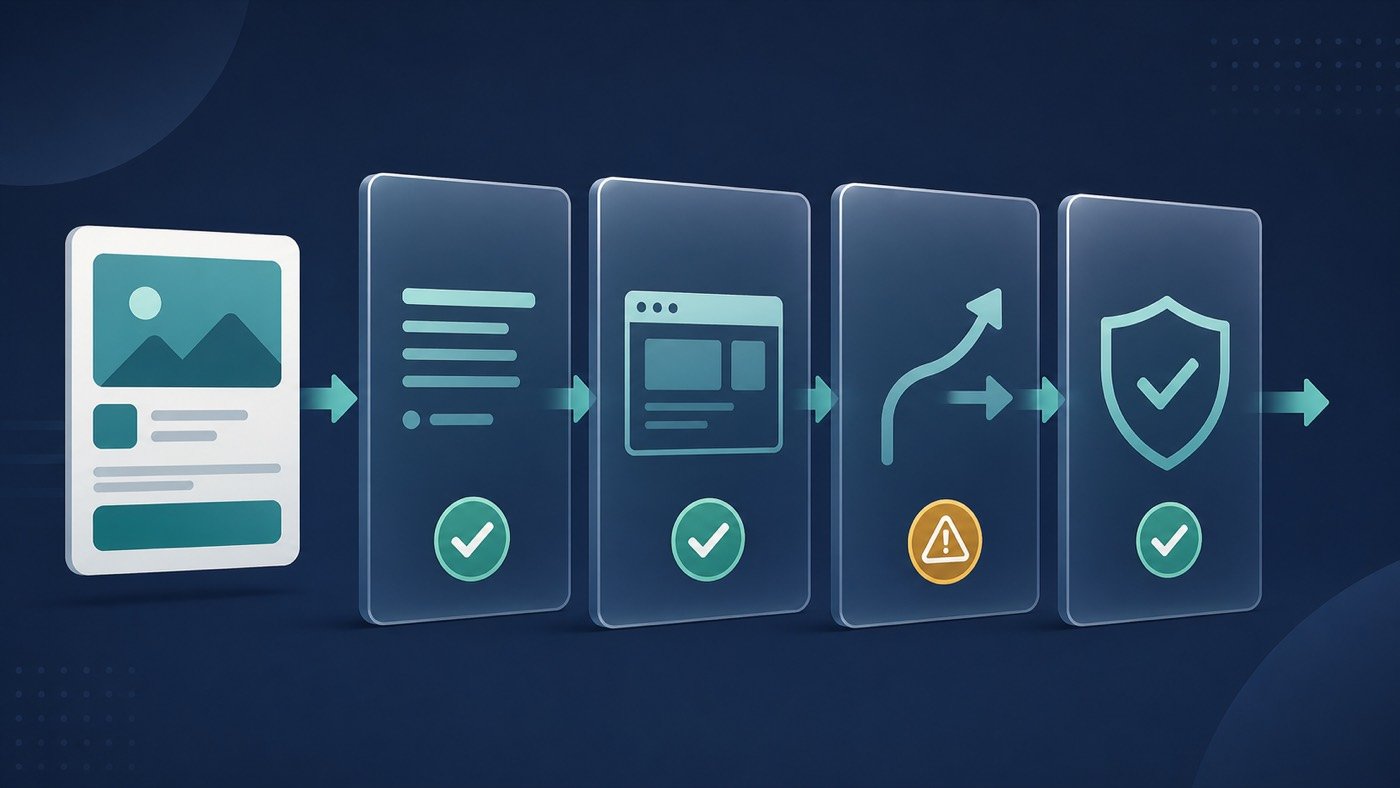
Compliance tooling only makes sense against the surface it is checking. A submitted ad is evaluated across four layers, and they fail independently:
- Ad text and creative — the copy, the image or video, overlaid text, and the implied claim. Automated classifiers run first; human review is the exception, not the rule.
- The destination experience — the landing page is fetched and assessed. Content mismatch between ad and page is one of the most common quiet rejections.
- The redirect path — how the click gets from the ad to the page. Long chains, mismatched domains, and pages that behave differently for different visitors all register here.
- Account-level signals — history, payment standing, page quality, and prior disapprovals. A clean ad on a flagged account is not a clean ad.
No single vendor covers all four. Tools cluster into categories that map onto these layers.
The five categories of Facebook ad compliance tooling
1. Text and creative pre-flight scanners
These take your headline, primary text, and creative, and flag phrasing that historically correlates with rejection: absolute claims, personal attributes ("you look…"), unsupported outcome statements, restricted-category vocabulary. The good ones cite the specific policy clause rather than returning a generic score.
What they catch: roughly the first layer, and only the parts that are lexical. What they miss: everything about your landing page and everything about your account.
2. Landing page and destination auditors
These crawl the page your ad points at and check the things Meta's crawler will notice: whether required disclosures exist, whether the offer on the page matches the offer in the ad, whether contact information and a privacy policy are reachable, load performance, and interstitials.
If you run paid traffic to pages you did not build yourself — affiliate offers, partner pages, white-label funnels — this category is where most of your exposure is. Our affiliate link compliance checklist covers the link-specific version of these checks in more depth.
3. Disapproval and account health monitors
These sit on the Marketing API, poll your ad accounts, and alert on status changes: a disapproval, a limited-delivery flag, a spend-cap change, a page restriction. Their value is speed. The first hour after a status change is when a case is most recoverable, and finding out from a monitor at 02:00 beats finding out from a dashboard at 09:00.
Buy this if: you run more than a handful of accounts, or your team is not in the same timezone as your ad delivery.
4. Traffic management and routing layers
This is the category most often misunderstood. A routing layer sits between the click and the page and decides what each visitor gets — filtering invalid and automated traffic, applying geography and device rules, and keeping the redirect path to a single clean hop.
Used properly, this is a compliance instrument rather than a way around one: it keeps bot traffic out of your funnel data, prevents the accidental mismatches that come from serving one region's page to another region's audience, and gives you an auditable log of what each visitor was actually served. DeepClick Shield is our implementation of this layer, and our comparison of post-click tools covers how the category as a whole differs.
The line matters: routing that improves traffic quality and keeps the ad-to-page promise intact is defensible. Serving reviewers a materially different page than users is a policy violation, and no tool makes that safe. Our guide on when routing crosses the line is the longer treatment.
5. Workflow and evidence tooling
The least glamorous and most underrated: systems that record what was submitted, when, by whom, with what creative version, and what the outcome was. When you appeal, the appeal is only as strong as the evidence you can assemble in ten minutes. Teams that keep this log get faster resolutions. Teams that reconstruct it from memory get generic denials.
How to choose
Work backward from your actual failure mode. Pull your last twenty disapprovals and sort them:
- Mostly creative and copy rejections → category 1, and re-read the policy clauses being cited.
- Ads approved then paused after the page was crawled → category 2.
- Slow to notice problems → category 3.
- Traffic quality problems, or mismatches between what you intended to serve and what was served → category 4.
- Appeals that go nowhere → category 5.
Then apply three filters to any vendor:
Does it cite policy, or just score? A score you cannot act on is noise. A citation you can read and argue with is useful.
Does it fail closed? If the vendor is down, does your traffic stop or does it pass unchecked? Know the answer before you find out during a campaign.
Is the log exportable? If you cannot pull the evidence out, it will not help you in an appeal.
What none of these tools can do
They cannot approve your ad. They cannot predict a classifier update. They cannot fix an account with an accumulated history of violations, and they cannot make a restricted-category offer eligible. Any vendor implying otherwise is selling certainty that the platform itself does not offer.
What they can do is remove the avoidable failures — the mismatch you did not notice, the redirect chain that grew to four hops, the disapproval that sat unread for six hours — so that the ads that do get rejected are rejected for reasons you actually chose to take on.
FAQ
Is there an official Facebook ad compliance tool from Meta? Meta provides the Ad Library, policy documentation, and account quality diagnostics inside Business Manager. These are reference and status surfaces, not pre-submission checkers. Third-party tools exist because the gap between "policy published" and "will this specific ad clear" is not something Meta fills.
Will a compliance tool stop my account being restricted? No. It reduces the rate of avoidable disapprovals, which is a meaningful input into account health over time, but restrictions also depend on history, payment signals, and page quality that sit outside any third-party tool's reach.
How many of these do I actually need? Most advertisers running under ten accounts need categories 2 and 3, and get diminishing returns from the rest. Teams running paid traffic to pages they do not control need category 4 as well.
Do these tools work for Instagram ads too? Meta reviews both surfaces under one policy set, so text and landing-page checks carry over. Placement-specific creative specs do not — check those separately.
