
Google Play Mandates Two-Step Verification: Setup Guide, Key Challenges, and Proven Solutions

- - Why Google Enforces 2-Step Verification and Its Impact on Developers
- - Step-by-Step Guide to Enable Google Play 2-Step Verification
- - Common 2-Step Verification Issues and Fixes
- - Why ROIBest's PWA Solution Outperforms Traditional Methods
- - About ROIBest
Google Play now requires all developers to enable two-step verification for account access. While this policy enhances security, it introduces friction for developers—especially those managing frequent app updates or team collaborations. Below, we break down Google's rationale, the operational hurdles, and a streamlined workaround using ROIBest's Progressive Web App (PWA) solution to bypass Play Store restrictions.
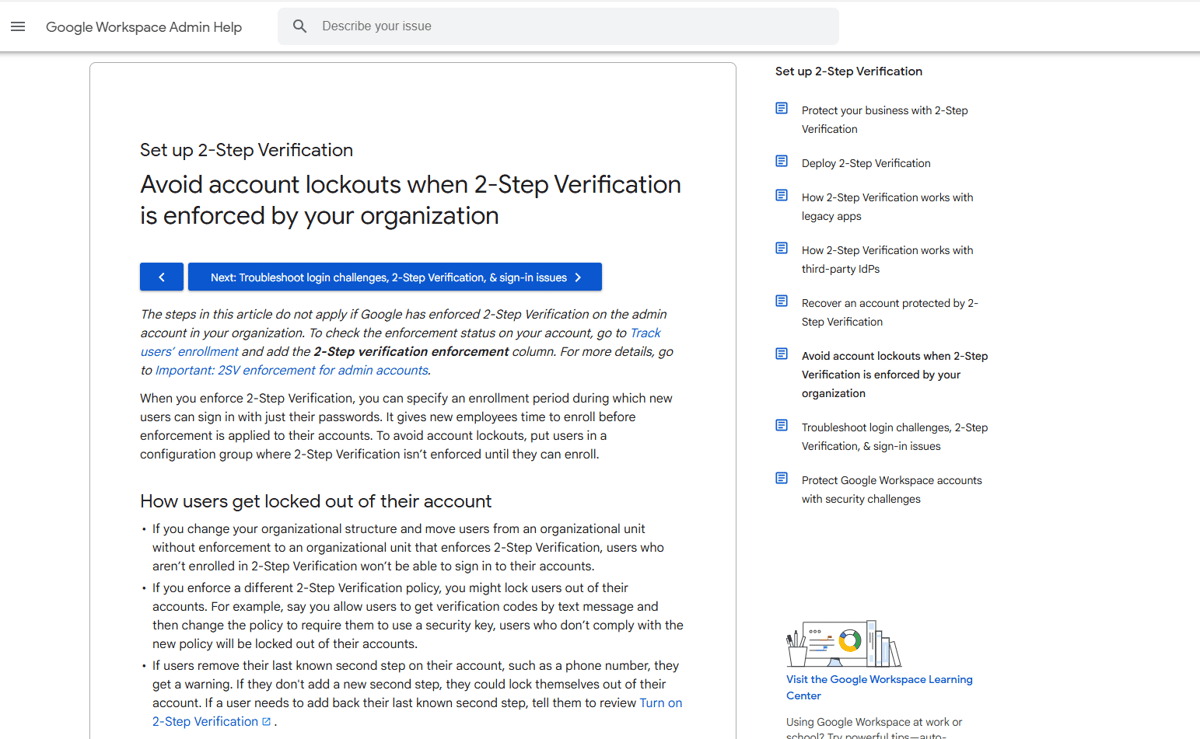
Why Google Enforces 2-Step Verification and Its Impact on Developers
Google's push for mandatory 2-step verification stems from rising security threats:
- Account hijacking risks: Compromised developer accounts can lead to malicious code injections, unauthorized app updates, or data breaches.
- Regulatory compliance: Stricter controls align with global data privacy laws (e.g., GDPR), especially for apps handling payments, financial services, or sensitive user data.
- Platform governance: Reducing fraudulent or policy-violating apps on the Play Store.
Key Challenges for Developers
- Disrupted workflows: Additional verification steps slow down logins, hinder CI/CD pipelines, and complicate team collaboration.
- Account recovery hurdles: Losing access to verification methods (e.g., SMS or authenticator apps) can lock developers out of critical accounts.
- Management cost increase: Small teams face increased costs for securely managing backup codes, app-specific passwords, and device permissions.
Step-by-Step Guide to Enable Google Play 2-Step Verification
To avoid account lockouts, follow these steps:
- Access Security Settings: Sign in to your Google Account → Navigate to Security → 2-Step Verification.
- Choose Verification Method: For enterprise accounts, prioritize security keys (e.g., YubiKey) for stronger protection.
- Generate Backup Codes: Create 10 backup codes and securely store them for emergency access.
- Set Up App-Specific Passwords: Generate unique passwords for third-party tools (e.g., CI/CD platforms) to avoid exposing your primary password.
- Manage Trusted Devices: Limit trusted devices to company-managed hardware only.
Common 2-Step Verification Issues and Fixes
To avoid account lockouts, follow these steps:
- SMS Unavailable for Teams in Other Regions: Switch to Google Authenticator or hardware security keys. Set up authenticator apps for all team members in advance.
- Revoking Access for Former Employees: Remove trusted devices, reset passwords, and review account activity.
- API Integration Problems: Request service account exemptions or use app-specific passwords. Submit detailed use-case documentation to Google.
- Verification Code Delivery Failures: Bypass Play Store entirely with ROIBest's PWA technology—a Progressive Web App solution designed for Android developers to distribute apps directly to users.
Why ROIBest's PWA Solution Outperforms Traditional Methods
For developers prioritizing agility and ROI:
- Load-Free Access: Reaching 1 in 8 Android devices globally—users can launch apps instantly via links without loading required.
- Cross-Platform Compatibility: Works seamlessly across browsers and Android devices worldwide.
- Automatic Update: Updates seamlessly without Play Store review or requiring any user actions (ideal for short-form video, e-commerce, and utility apps).
- Optimized Monetization: Integrates with ad platforms to synchronize conversion data and maximize ad performance bypassing store policies.
Ideal for:
- Short-form video platforms expanding internationally
- E-commerce apps requiring rapid updates
- Tools needing instant user acquisition
About ROIBest
ROIBest, as the pioneer in non-removable Android apps, boasts the largest market share and user base.
Our clients include leading companies in gaming, short drama, social network, and tools & utilities industries, such as ShortMax and EWORLD.
Our solutions built of progressive web app (PWA) technology address issues for Android app developers such as app review processes, being removed from the Play Store, and Google Pay commissions. The unique ROI-enhancing features developed by ROIBest can boost conversions by over 10% and reduce the risk of ad bans, driving more traffic to the business.

