Fallback Page: 10-20% Extra Clicks From Bounce Traffic

The biggest waste in ad spend isn't the budget itself — it's that users have already clicked through, but they look at the page once and leave.
The first-hop landing page only converts the easiest segment of your user journey. The rest — those who "glance and exit," "abandon halfway," or "open and close" — are out of reach for most ad links. The moment they leave, that impression is wasted.
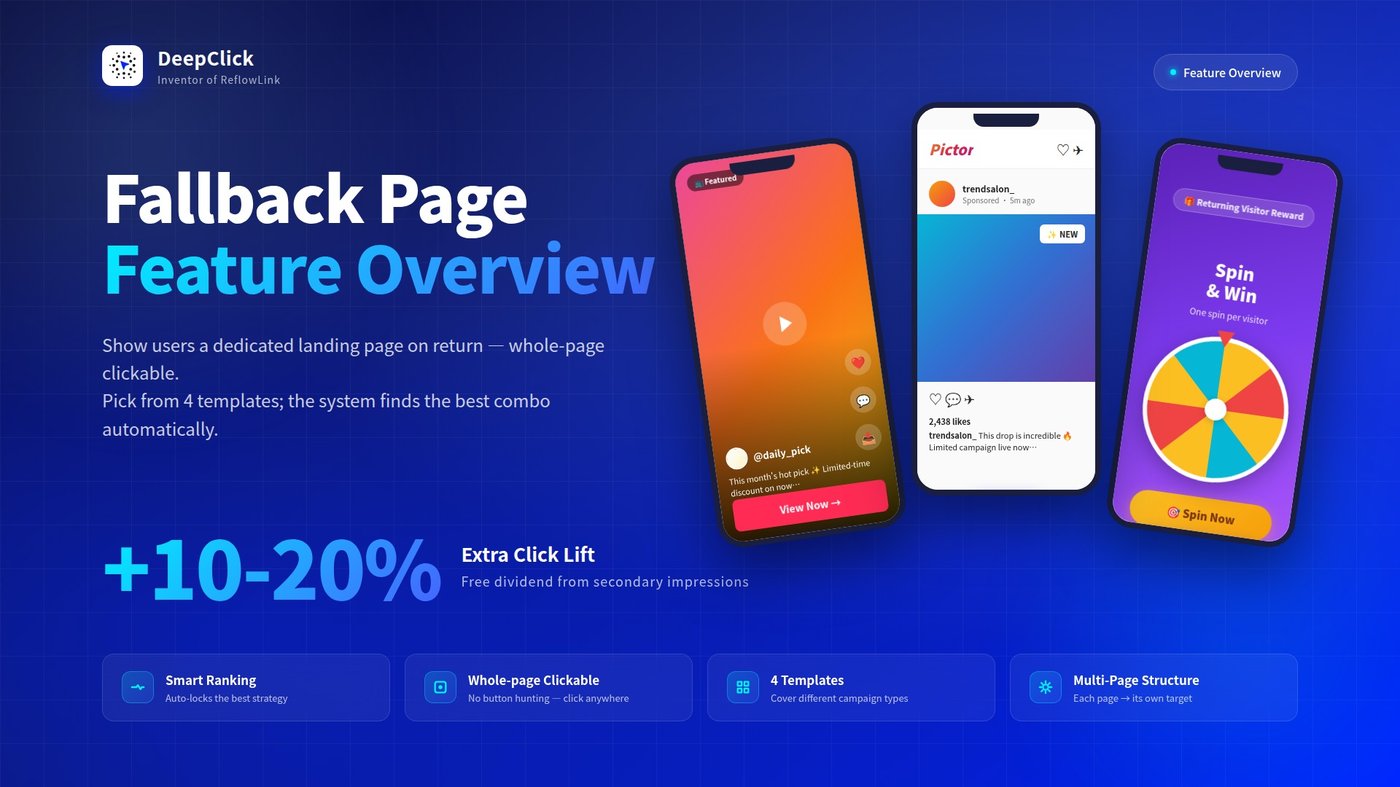
Fallback Page is the second-chance net DeepClick prepares for this lost traffic: when users exit the first-hop page, or switch away and come back later, DeepClick replaces the page in real time with a dedicated Fallback Page. Fresher content, design freedom, and the entire page is clickable. The extra 10-20% clicks come from this mechanism.
⚡ TL;DR: The first visit shows users the compliant first-hop page. The return visit shows the conversion-optimized Fallback Page. Two impressions, two strategies, two conversion chances.
Want to jump straight to configuration? See: Fallback Page Setup Guide: Creatives Free From Platform Re-Review. This article focuses on the user-side experience and feature value.
1. What is a Fallback Page
A Fallback Page is a separate landing layer attached to a DeepClick ReflowLink. It doesn't replace your first-hop landing page — instead, it kicks in only the moment a user returns, presenting them with a page completely different from the first-hop.
You can think of the entire flow this way:
```
Trigger Action Page User Sees
───────────────── ──────────────────────
First click on the ad → First-hop landing page
(compliant, review-ready)
Return / re-enter → Fallback Page
(back button / switch back) (high-converting,
whole-page clickable)
```
Key differences:
|
Dimension |
First-hop page |
Fallback Page |
|---|---|---|
|
Trigger |
First click on the ad |
User returns (back / re-enter) |
|
Design goal |
Pass ad platform review |
Maximize clicks and conversion |
|
Content freedom |
Constrained by platform policies |
Fully under your control |
|
Conversion pressure |
Must balance compliance + conversion |
Conversion-only focus |
2. When Does the User See the Fallback Page
The Fallback Page only shows to users who have already seen the first-hop page. The complete trigger flow: a user clicks the ad and lands on the first-hop landing page (App Store page / website page / etc.); if they exit and return, or switch away and come back to the page — that's when DeepClick swaps in the Fallback Page in real time.
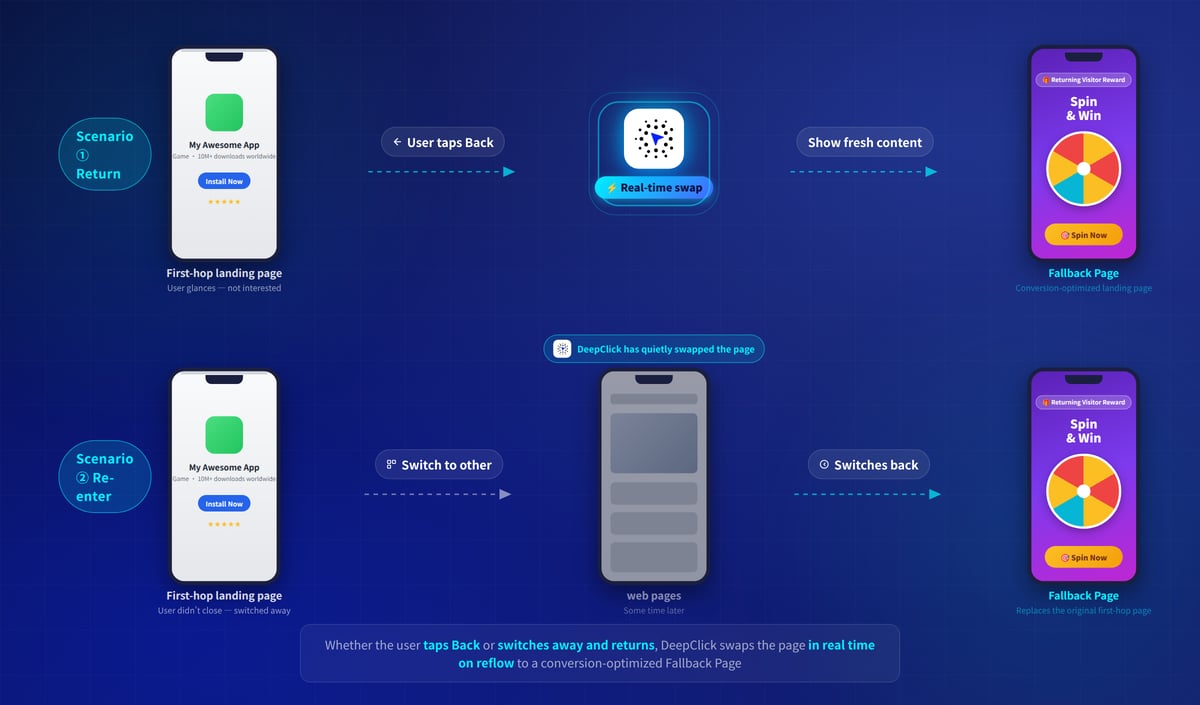
Two typical trigger actions:
① Return
The user clicks the ad, the browser navigates to your first-hop landing page (App Store page / website / etc.). They glance at it, decide they're not interested, and exit back — and that's when DeepClick swaps in the Fallback Page, keeping the user on the new page.
This is the most frequent reflow scenario. In essence, it intercepts the user's "I want to leave" action and turns it into "let me take another look at this new content."
② Re-enter
The user clicks a Facebook ad and lands on the first-hop page. They don't close the page — they go off to browse other web pages (clicking links, switching tabs, replying to messages). Some time later they come back to this page — what should have been the original first-hop page is now the Fallback Page.
In this scenario, the user is returning with active intent ("I want to look at this page"), so conversion intent is even more concentrated than in the "return" scenario.
💡 Key point: The first time a user lands on the first-hop page, they always see the first-hop page itself. The Fallback Page only appears on the second (and later) visits — that's why it's called "reflow."
3. What the Fallback Page Looks Like to the User
The Fallback Page comes in 4 template styles. Each has a completely different visual language, covering different ad categories and user preferences.
TT-Style Feed
Mimics the visual language of TikTok vertical video: full-screen background (configure a background video or image), interaction icons (like / comment / share) overlaid on the right, recreating the "short-video feed" experience. A fixed CTA card at the bottom contains an avatar, username, description copy, and an action button.
Configurable elements: background video / image, avatar, username, description copy, button text.
Best for: short-video-driven apps, entertainment products, e-commerce hot items.
User feel: matches the user's daily TikTok scrolling experience — full-screen content captures attention, and the bottom CTA gives a clear conversion path.
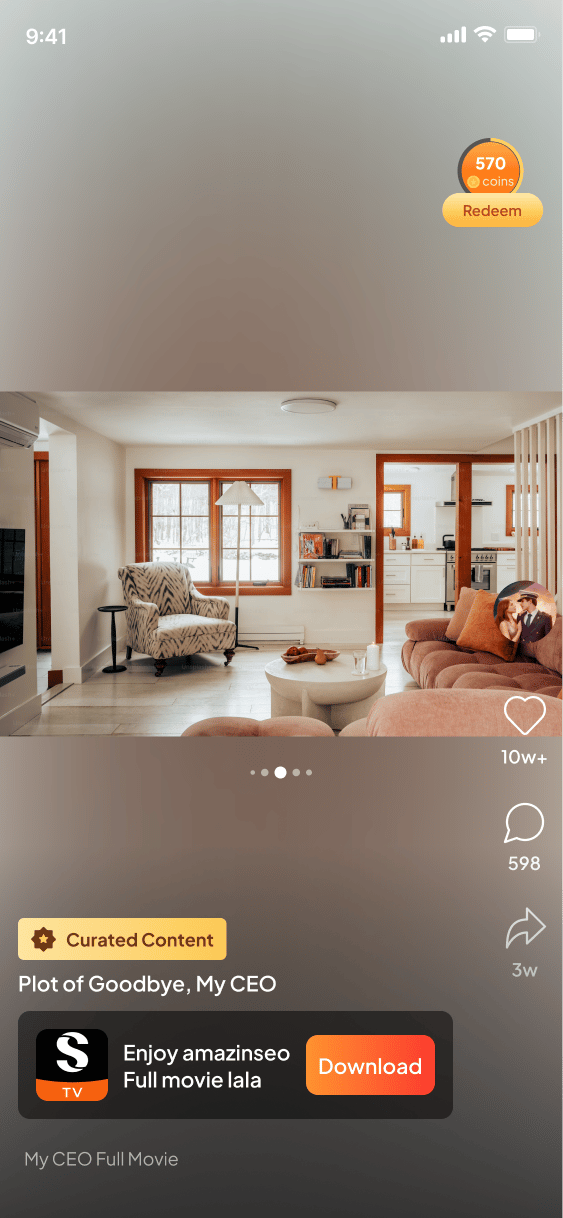
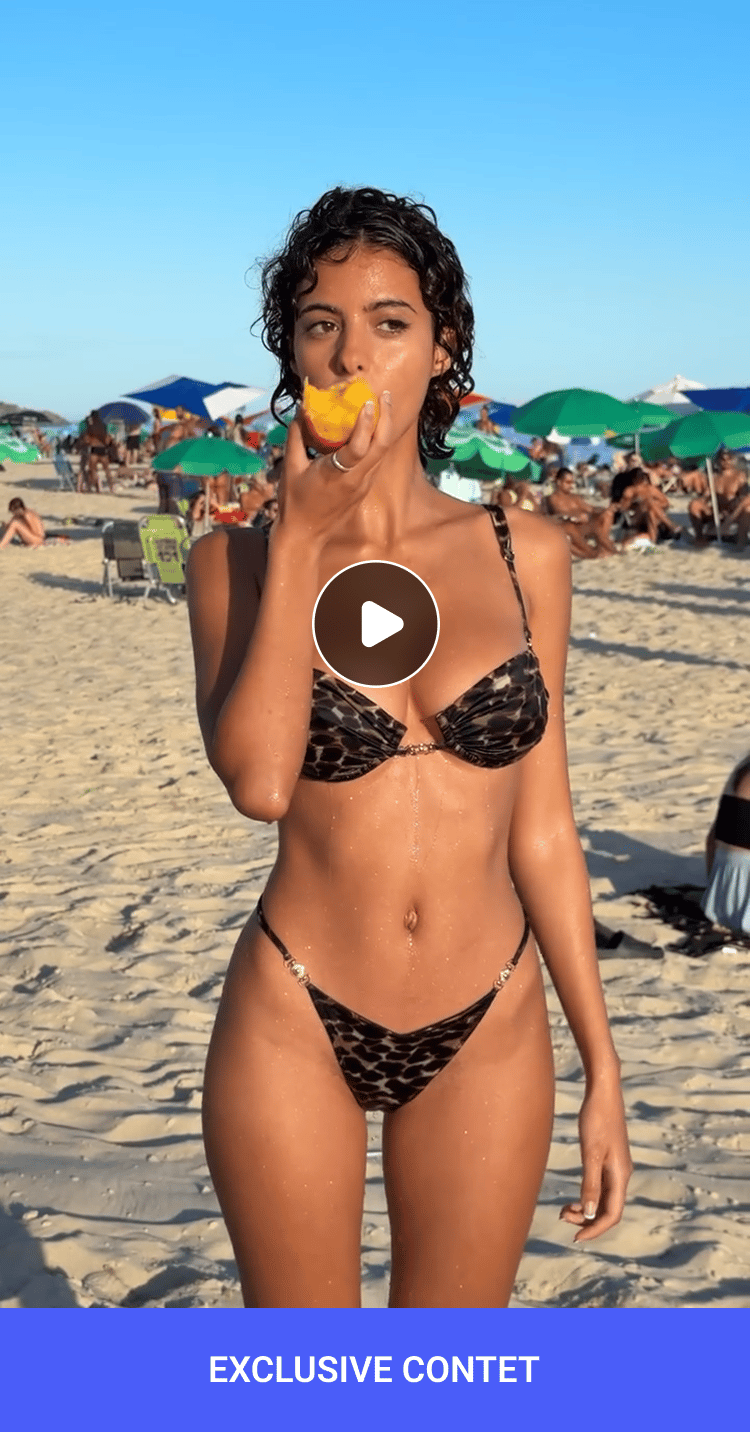
Clean Video Stream
Plays a video ad full-screen (videos only — no static images), with a circular play button overlay in the center and a horizontal CTA strip at the bottom. The visual is extremely clean — no side icons, no engagement counts, no social ornaments. All attention goes to the video and the bottom button.
Configurable elements: ad video, bottom CTA copy.
Best for: categories that already have video creative ready (short drama, games, beauty / fashion clips, product demos), where the video itself does the persuading and you don't need extra "feed-like" framing.
User feel: highly focused, no distractions — the video itself carries the persuasion.
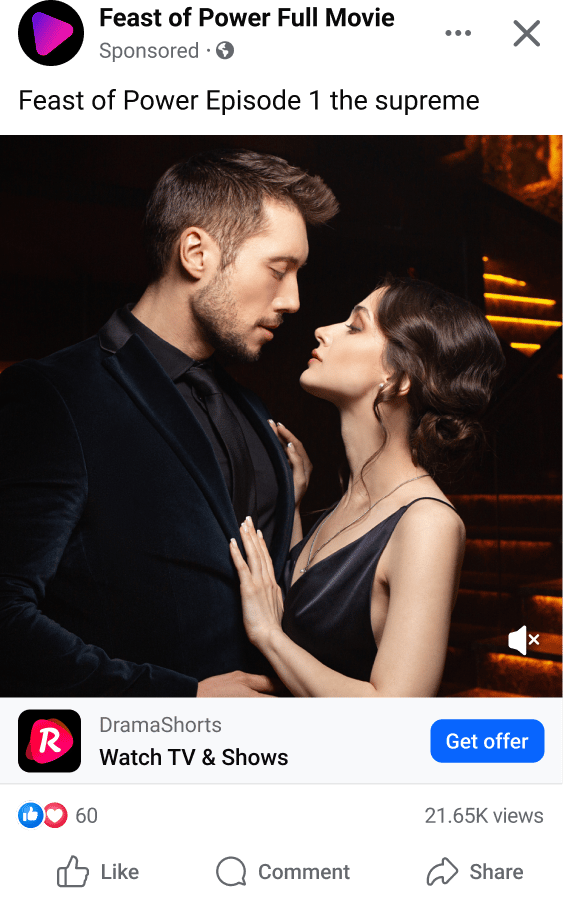
Meta Feed
Recreates the Sponsored Post layout in a Facebook feed: top navigation bar in Facebook style (Home / Video / Friends / Profile / Notifications), and the body is a sponsored ad card — publisher name, "Sponsored" label, ad copy, main image, brand info card (brand name + description + URL + action button), with like and view counts at the bottom. Visually, it's almost indistinguishable from real Facebook feed content.
Configurable elements: publisher name, ad copy, main image, brand name, brand description, brand URL, action button text.
Best for: high-Facebook-penetration markets (North America / Europe / Southeast Asia), social-native products, brand-driven e-commerce.
User feel: because the visual matches real social content, users have the lowest "this is an ad" alertness — conversion typically beats designs that look obviously like landing pages.
Plain Single-Page
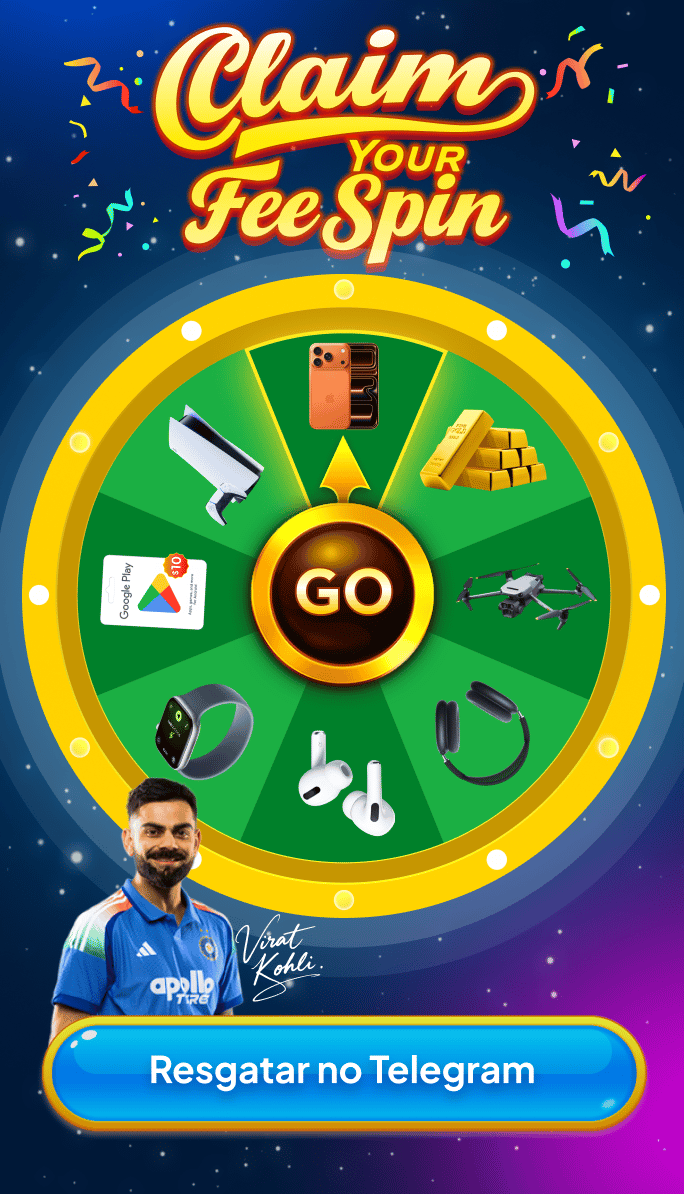
Doesn't follow the feed format — just a complete main visual + a single bottom action button. The whole page (background, copy, decoration, campaign elements like spinning wheels) is fully designed by you. Button text and style are also configurable.
Typical uses: lottery wheels, limited-time campaign pages, new-user welcome pages, holiday promotions — anything that can be told in a single image.
Configurable elements: the entire main visual (image design is fully free), bottom button text, button color / style.
Best for: campaign-driven marketing, welfare distribution, scenarios that need a strong visual hook.
User feel: clear "promo / event" energy that activates the user's claim motivation.
4. Whole-Page Clickable: The Core Interaction
Regardless of which template you pick, all Fallback Pages follow the same click rule: a click anywhere on the page navigates to the target you've pre-configured.
```
User clicks anywhere on the Fallback Page
(video, card, button, blank space)
↓
All clicks navigate to the target you configured:
· Link URL: jump to an external URL
· Custom address: jump to any deeplink you've defined
· Other Product: jump to another product in your Product Library
```
The core idea: don't make users think about "where to click." Every active click is treated as a positive signal and routed to the conversion target. This is also one of the reasons Fallback Pages convert better than first-hop pages — first-hop pages have to hide CTAs from reviewers, while Fallback Pages can have "the whole screen as the CTA."
5. Why It Brings 10-20% Extra Clicks
The Fallback Page reliably brings 10-20% extra clicks because it changes three things:
① It gives the user fresh content
Attention to repeated content drops fast. If the user returns and sees the same first-hop page, that's effectively showing them the same page twice — most likely ignored. Fallback Pages ensure the user sees something new every time they come back, reactivating their attention.
② It unlocks creative freedom
The first-hop page must pass ad platform review — copy can't be too aggressive, buttons can't be too flashy. Fallback Pages happen after the user has already left the ad platform, so creatives don't go through platform re-review. That creative freedom alone is a source of conversion lift.
③ Whole-page clickable lowers the barrier
"Click anywhere to navigate" puts the conversion barrier as low as it can go.
6. Smart Ranking: The System Learns Which Pages Work Best
DeepClick has built a Smart Ranking mechanism into the Fallback Page (on by default):
- The system automatically adjusts the display order of each creative page based on real campaign data
- Whichever creative gets higher click rates or holds users' attention longer gets ranked further forward
You don't need to run manual A/B tests — publish once and the system handles the rest.
7. Advanced Play: Multi-Page Structure with Different Targets
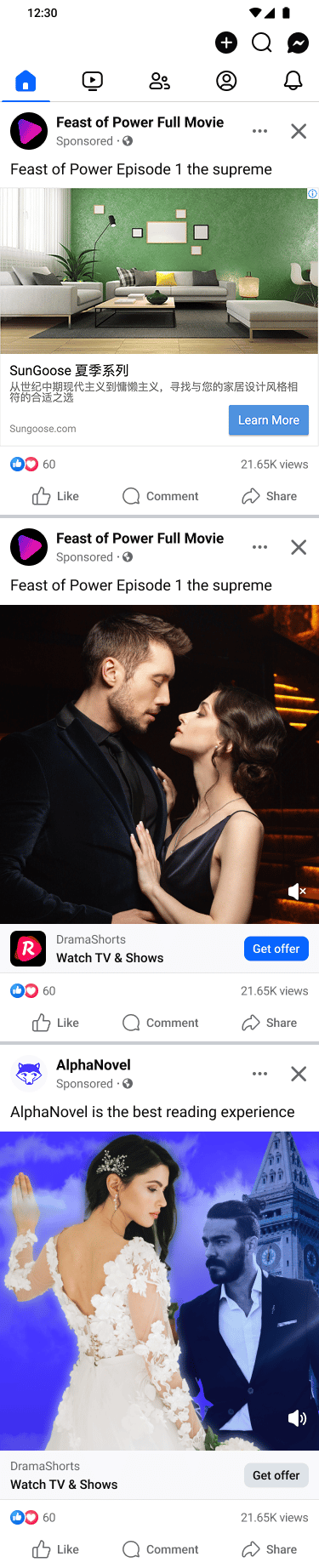
Fallback Pages support multi-page structures — within a single Fallback Page you can place multiple creative "pages," each with different image creatives and different navigation targets.
Real-world use cases:
- Multi-product matrix: you're running 5 apps simultaneously — build one Fallback Page with creatives for all 5. When a user returns, whichever creative they click goes to the matching product. One link carries five products' worth of secondary conversion.
- Multi-creative A/B: 5 different creative styles for the same product, letting the system find the most effective one automatically.
8. Ready to Configure One for Your ReflowLink?
Configuring a Fallback Page takes just two steps: create one in the "Fallback Page" module, then mount it on a ReflowLink. Two steps and reflow traffic starts entering its dedicated landing page.
For step-by-step screenshots, template selection guidance, navigation target configuration, and the Smart Ranking toggle location, see:
👉 Fallback Page Setup Guide: Creatives Free From Platform Re-Review
For other questions or 1-on-1 campaign strategy guidance, contact your dedicated Customer Success Manager, or reach out via the contact entry on DeepClick Platform.
