Facebook Business Account Restricted From Advertising: Which Layer Is Actually Restricted


Facebook Business Account Restricted From Advertising: Which Layer Is Actually Restricted, and What Each One Requires
Most advice written about Meta advertising restrictions is about a disabled ad account. That is a different problem from a Business account restricted from advertising, and treating them as the same thing is why so many recovery attempts go nowhere — the appeal form is different, the evidence required is different, and the actions that help on one layer can actively make things worse on the other.
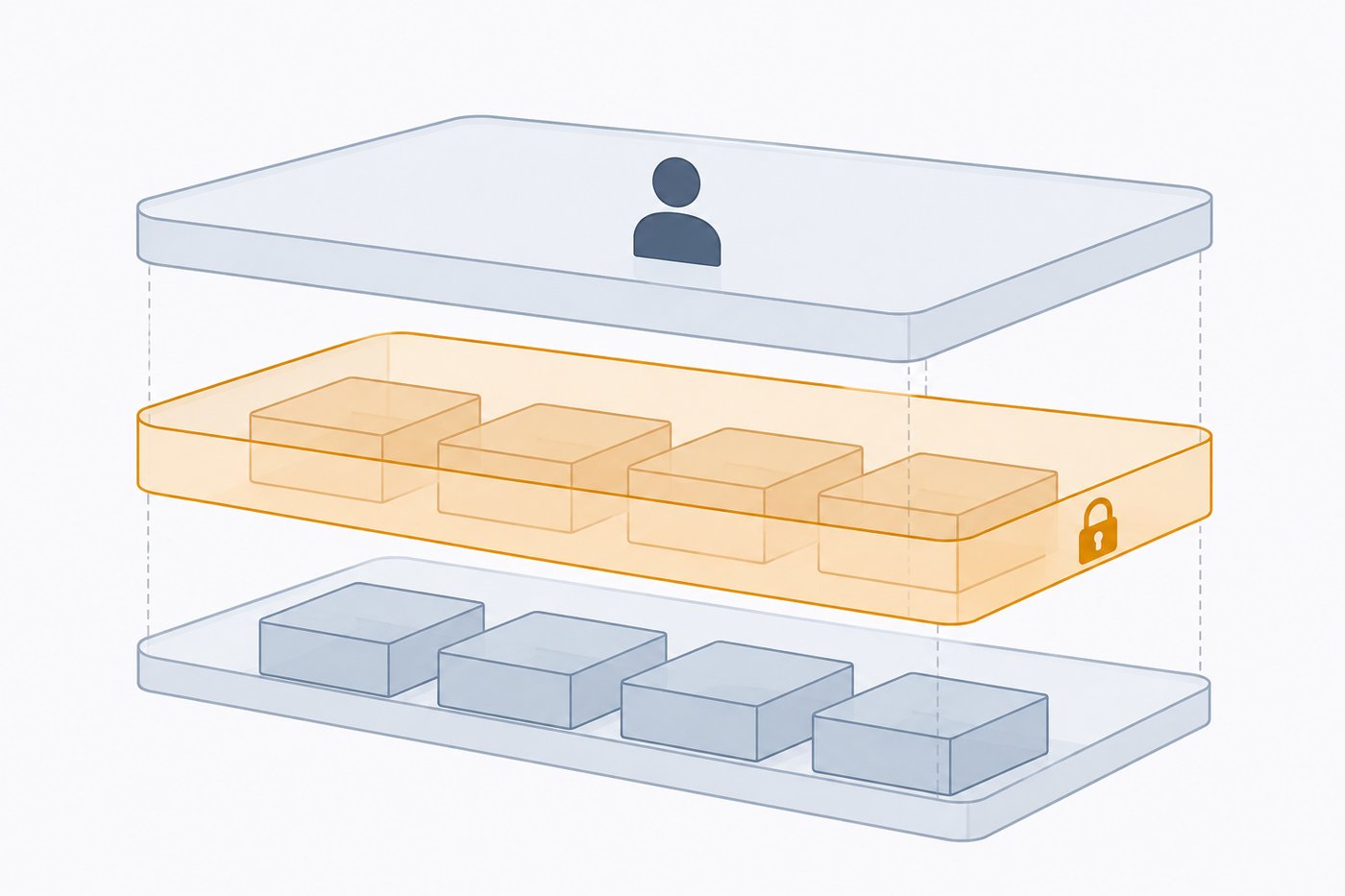
Meta enforces on three separate layers, and the first job when advertising stops is to find out which one you are on.
The three layers
|
Layer |
What it is |
What restriction looks like |
Blast radius |
|---|---|---|---|
|
Personal profile |
The individual person's Facebook account, and the admin identity behind everything else |
"You can't advertise" on the person; ad accounts they administer may keep running |
Every asset that person administers, across every business |
|
Business account (Business Manager / Meta Business Suite) |
The container that owns ad accounts, Pages, pixels, catalogs, and users |
The business itself is restricted; ad accounts inside it cannot spend regardless of their own status |
Every ad account and Page inside that business |
|
Ad account |
The individual billing and delivery entity |
One ad account is disabled; other accounts in the same business keep running |
That one account |
The distinction that matters most: a healthy ad account inside a restricted business account still cannot spend. People spend days appealing the ad account, get it reinstated, and are confused that delivery never resumes — because the restriction was never on that layer.
The reverse also happens. A disabled ad account inside a perfectly healthy business gets treated as a business-level catastrophe, and the operator starts creating new business accounts, which is the single most reliable way to convert a one-account problem into a whole-business one.
How to tell which layer you are on
Do this before writing a single appeal.
Read the exact wording of the notification. Meta's language distinguishes the layers fairly consistently, even though people repeat it loosely. Wording that names your business or your business account points at the business layer. Wording that names this ad account points at the ad account layer. Wording addressed to you as a person — especially if it appears when you log in rather than inside a specific asset — points at the profile layer.
Check Account Quality at each level. Account Quality is per-asset, and this is the part most people skip: open it for the business account itself, not only for the ad account you were running. A business-level restriction shows up there, and often nowhere else that you would normally look.
Run the cross-check. If you administer more than one ad account inside the business, check whether the others can still spend. All of them stopped → business or profile layer. Only one stopped → ad account layer. If you administer assets in a different business and those also stopped, you are on the profile layer.
That three-way check takes a few minutes and determines everything that follows. Skipping it is the most common reason a recovery stalls. For the ad account layer specifically, how to appeal a disabled ad account covers that path in full; the rest of this article is about the business layer.
What triggers a business-level restriction
Business-layer enforcement is generally about the entity and its history, not about one ad. A single disapproved ad is an ad-level event. A business restriction usually reflects an accumulated or structural signal:
- Repeated violations across the assets it owns. Not one rejection — a pattern across ad accounts and Pages inside the same business.
- Unverified or failed business verification when the business is doing something that requires it. This is a common and quietly-arrived-at cause, because the requirement can attach later than the account was created.
- Payment and billing integrity signals — unpaid balances, disputed charges, or payment methods with a history attached to previously restricted entities.
- Asset and identity association. Business accounts inherit risk from the people and assets connected to them. Adding an admin with restricted standing, or claiming a Page or pixel that carries history, transmits that history to the business.
- Structural signals that look like evasion. Many business accounts created by the same identity in a short window, heavy asset movement between them, or a new business immediately assuming the exact configuration of a restricted one.
That last category is why the instinctive response — spin up a fresh business account and carry on — is counterproductive. The association signals that link businesses together are largely the same ones you rely on to run a business at all: the admin identity, the payment method, the pixel, the domain, the Page. Recreating the structure with the same components recreates the association, and a business created immediately after a restriction, with the same assets, is a recognisable pattern rather than a fresh start.
The recovery path for a business-layer restriction
1. Do not create a second business account. Before anything else. It is the action most likely to make the situation permanent, and it is almost always the first instinct.
2. Establish which layer, using the three-way check above. Everything downstream depends on getting this right.
3. Complete business verification if it is available and incomplete. For a meaningful share of business restrictions, verification is not a step in the appeal — it is the remedy. Where it applies, submit documents in which the legal entity name, address, and domain match each other exactly; mismatches between the registration document and the business account details are a frequent cause of failed verification, and the fix is boring paperwork consistency rather than argument. Business verification: documents and steps covers what is actually checked.
4. Appeal from the business account itself, not from an ad account inside it. Appeals submitted on the wrong asset are commonly closed without addressing the restriction, and people read that as rejection when it was really a misrouted request.
5. Write the appeal as a factual account, not an argument. What the business does, what it advertises, who the audience is, and — where something did go wrong — what changed so it will not recur. Appeals that dispute the platform's judgment do worse than appeals that describe a business plainly and demonstrate that the operator understands the rule they are being measured against.
6. Fix the underlying condition before appealing, not after. If the trigger was a landing-page or creative pattern, an appeal submitted while it is still live is asking for a decision to be reversed against evidence that is still present.
7. Then wait, and do not resubmit repeatedly. Repeat submissions of the same appeal do not increase the chance of a review and, in a system that measures behavioural signals, are not a neutral act.
What you can do while restricted
Business restrictions can take a while to resolve, and the temptation is to improvise a route back to spending. The improvisations — borrowed accounts, agency accounts obtained for the purpose, a new business built on the same assets — share one property: they connect the restricted entity to something new. The productive work during a restriction is the work that does not do that.
Organic and owned channels keep running. So does everything on the measurement side: your pixel and conversions setup, server-side event quality, and the landing-page work that determines whether spend converts when it resumes. Compliance review of the assets you already have is the most direct investment, because the restriction is evidence that something in that set was scored badly.
Traffic quality and routing infrastructure is the other category that pays off during a pause: bot filtering, geo and device targeting, and a clean, auditable path between ad and destination. DeepClick Shield is built for that layer — traffic filtering and routing with a per-request audit trail, so that what a reviewer reaches and what a real visitor reaches are both defensible and both logged.
Preventing the business layer from being the failure point
The structural principle is separation without evasion. Different business lines belong in different business accounts, each with its own verification, its own payment method, and an admin set that reflects who actually operates it. That is ordinary business structure, and it limits how far a single enforcement event travels. It is different in kind from creating parallel businesses to evade an existing restriction — the difference being whether the separation reflects a real operational boundary or exists to route around a decision.
Three habits do most of the work:
- Complete verification before you need it. Verification under time pressure, after a restriction, is slower and less forgiving than verification done while everything is healthy.
- Audit admin access on a schedule. Every person with admin rights is an identity your business is associated with, and their standing elsewhere is a risk you inherit. People leave; access rarely gets removed.
- Watch Account Quality at the business level, not only per ad account. Business-layer signals accumulate, and the dashboard shows them accumulating before they become a restriction. Almost nobody looks at that view until after something has already gone wrong.
For the ad-account-layer version of these habits, nine rules for avoiding an ad account ban covers the per-account discipline, and Meta's approval and appeal workflow covers how review decisions are made in the first place.
FAQ
My ad account looks fine but nothing delivers. What is happening? Most often a business-level restriction. The ad account keeps reporting normal status because the restriction is not on it — the business that owns it cannot spend, so nothing inside it can. Open Account Quality for the business account itself.
Should I create a new Business Manager while I appeal? No. It is the action most likely to make the restriction permanent. New businesses assembled from the same admin identity, payment method, pixel, and Page carry the association, and a business created immediately after a restriction with the same assets reads as a pattern rather than a fresh start.
How long does a business restriction take to resolve? It varies enough by cause and by whether verification is involved that any specific figure would mislead. The useful expectation is that it is slower than an ad account appeal, because more is being assessed. What you control is submission quality — right layer, complete verification, underlying condition already fixed.
Can I move my ad accounts to a different business account? Assets connected to a restricted business generally cannot simply be moved out, and attempting the move is itself an association event. Resolve the restriction on the layer where it exists.
Does a personal profile restriction affect my business? It can, and it is the layer people check last. If the profile is restricted, every asset that person administers is affected, across every business. If several unrelated businesses stopped at once, check the profile layer first.
Is business verification worth completing if I am not restricted? Yes, and it is easier to complete while healthy. Verification done ahead of time removes one of the more common restriction causes, and removes it at a moment when you are not also trying to argue a case.
DeepClick provides traffic filtering and routing infrastructure for advertisers operating under strict review conditions — bot and datacenter filtering, geo and device rules, and a per-request audit trail. It does not resolve platform restrictions; it addresses the traffic-quality layer that sits underneath them.
