How to Create a Facebook Business Manager Account (2026): Setup, Verification, and the Mistakes That Cost You Later

How to Create a Facebook Business Manager Account (2026): Setup, Verification, and the Mistakes That Cost You Later
Most guides on how to create a Facebook Business Manager stop at "click Create Account." That part takes four minutes. The part that actually decides whether your advertising survives the next twelve months is what you do in the twenty minutes after that — who owns the assets, how people get access, and whether the business you registered can pass verification when Meta asks.
This guide covers the current flow, the decisions that are hard to reverse, and the setup errors we see most often in accounts that later end up restricted.
What a Facebook Business Manager actually is
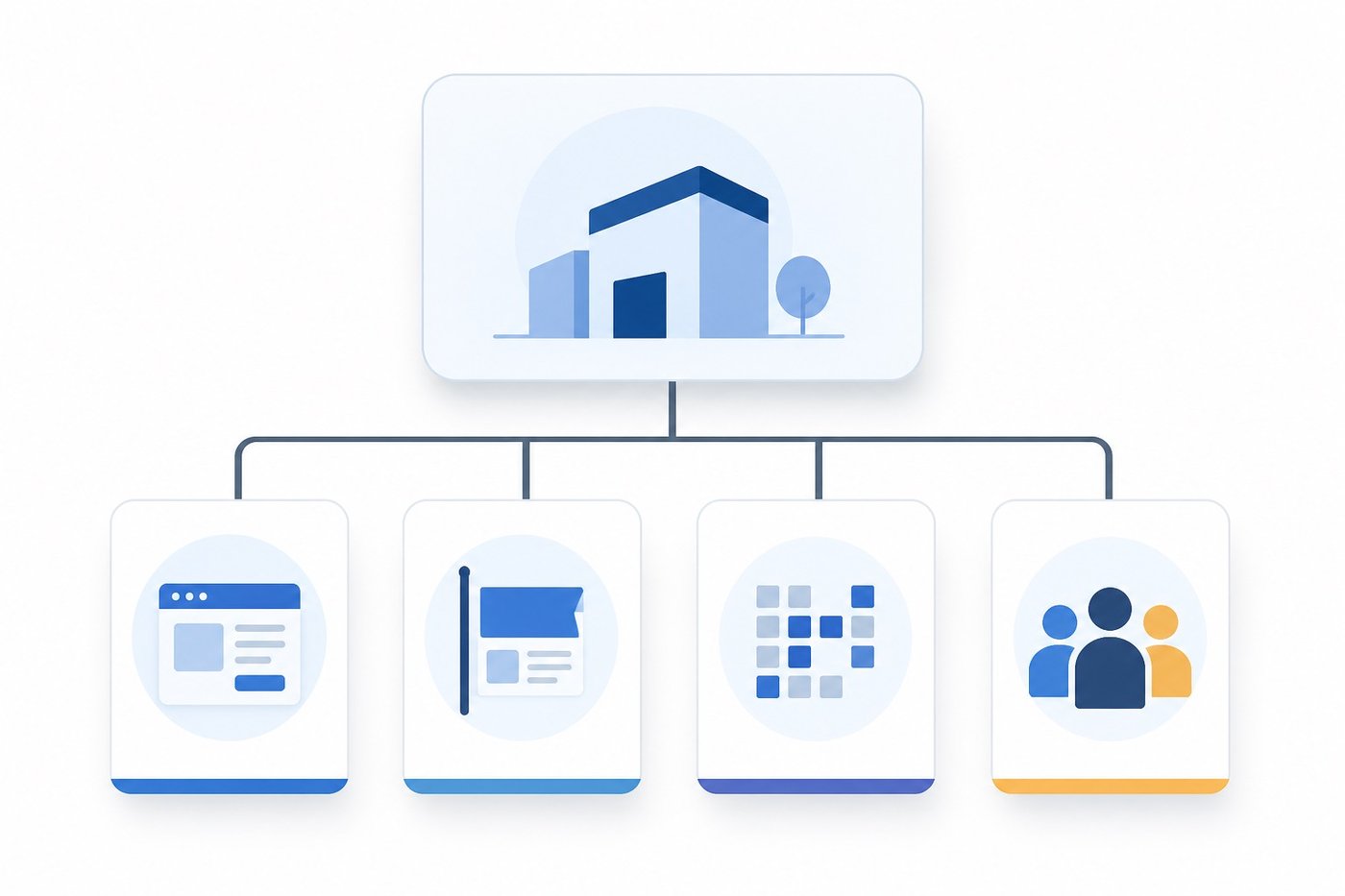
A Business Manager is not an ad account, and it is not a Page. It is the ownership layer that sits above both.
Think of it as a container that holds:
- Ad accounts — where budgets, billing and campaigns live
- Pages — the identity your ads run under
- Pixels and datasets — your conversion measurement
- People — colleagues, contractors and agencies, each with scoped permissions
- Partners — other businesses you share assets with, without handing over your login
Meta has been folding the old standalone Business Manager interface into Meta Business Suite, where the same object is often labelled a business portfolio. The naming has shifted more than once; the underlying structure has not. If a menu in this guide sits somewhere slightly different in your account, look for the business portfolio settings — that is the same place.
The reason this layer matters: assets owned by a Business Manager survive staff turnover. Assets owned by a personal profile leave with the person.
Before you start: what you need
Have these ready, because starting and then abandoning the flow halfway creates a partial business that you will want to delete later:
- A personal Facebook profile with some history. Meta uses your profile as the anchor for the new business. Brand-new profiles created the same day are a common trigger for immediate restriction.
- A business email on your own domain. A generic free-mail address works technically but weakens you at verification time.
- The legal name of the business, exactly as it appears on your registration documents. Not the trading name, not the brand — the registered name.
- A Page, either existing or created during setup.
If the legal entity does not exist yet, pause here. You can create the Business Manager first and verify later, but every asset you build in the meantime is attached to a business that may fail verification.
How to create a Facebook Business Manager, step by step
Step 1 — Open the creation flow
Go to business.facebook.com. If you have never created one, you will be offered the creation flow directly. If you already belong to one, open the business selector and choose to create a new business.
Step 2 — Enter the business details
You will be asked for a business name, your name, and a business email.
The business name becomes visible to partners you work with, and it appears in permission requests. Use the real name. Changing it later is possible but repeated name changes on a young business are a signal Meta weighs.
Step 3 — Confirm the email
Meta sends a confirmation link. Until you click it, the business exists in a limited state and some settings stay locked. Do this immediately rather than after building assets.
Step 4 — Add your first assets
In the business settings you will find sections for Pages, ad accounts, and people. For each asset you have two distinct choices, and the difference matters:
- Add — claims ownership. The asset moves under the business permanently.
- Request access — you operate someone else's asset while they retain ownership.
Use Add for assets you own. Use Request access for client assets. Claiming a client's Page by mistake creates a dispute that requires their cooperation to unwind.
Step 5 — Create the ad account inside the business
Create the ad account from within the Business Manager, not from your personal profile and then transfer it. Ad accounts created personally and migrated later carry their earlier history with them, including any prior policy strikes.
Set the time zone and currency carefully. Neither can be changed after the account has spent money. A wrong time zone quietly misaligns every report you will run for the life of the account.
Business verification: the step people postpone
Business verification confirms that your business is a real registered entity. It gates higher spending limits and several restricted advertising categories.
You will need documents that show the legal name and address consistently — typically a registration certificate, plus a utility bill or bank statement. The single most common rejection cause is not fraud; it is inconsistency. The name on the certificate reads "Acme Trading Limited," the account says "Acme," and the utility bill says "ACME TRADING LTD." Make all three match before you submit.
Verify early, while you have time to correct paperwork. Verifying under pressure — after a restriction, when spending is frozen — is where businesses discover their documents do not line up.
Adding people the right way
Two access models exist, and mixing them up is how ex-employees keep access for years:
- Business roles — employee or admin access to the business itself
- Asset permissions — what that person can do on each specific Page, ad account or pixel
Grant the narrowest asset permission that lets someone do their job, and give admin to as few people as you can defend. For agencies and freelancers, use Partner access rather than adding them as staff: partner links can be severed in one action, and the agency's own security problems stay on their side of the boundary.
Audit this list quarterly. Nobody ever remembers to remove access at the moment it stops being needed.
Common mistakes when creating a Facebook Business Manager
- Creating several businesses "just in case." Multiple Business Managers built from one profile, holding overlapping assets, is a pattern associated with evasion. Create one and structure inside it.
- Setting the wrong currency or time zone. Locked after first spend, as above.
- Building on a brand-new personal profile. Age and normal activity on the anchor profile matter.
- Leaving the pixel on a personal account. Measurement then belongs to an individual, not the business.
- Skipping two-factor authentication. Meta increasingly requires it for admins, and a compromised admin is the fastest route to losing every asset at once. Our guide on how to avoid a Facebook ad account ban covers the operational side of this in more depth.
If an account does get restricted despite a clean setup, the appeal path is different from the prevention path — see Facebook ad account disabled? how to appeal.
After setup: what to check in week one
Run this list once, a few days in:
|
Check |
Why it matters |
|---|---|
|
Business email confirmed |
Unlocks restricted settings |
|
Verification submitted |
Gates spend limits and categories |
|
Time zone and currency correct |
Cannot be changed after first spend |
|
Pixel owned by the business |
Survives staff changes |
|
Two-factor on all admins |
Single largest account-loss vector |
|
Partner access used for agencies |
Reversible in one action |
|
Payment method is a business instrument |
Personal cards complicate disputes |
FAQ
Do I need a registered company to create a Facebook Business Manager?
No. You can create one as an individual and run ads. You cannot complete business verification without a registered entity, which limits spending thresholds and access to some restricted categories.
How many Business Managers can one person create?
Meta allows a small number per profile, and the practical limit is lower than the documented one for new profiles. Treat one well-structured business as the target, not several.
Can I change the currency or time zone later?
No, not once the ad account has spent. You would need a new ad account inside the same business, which means rebuilding campaign history.
What is the difference between Business Manager and Meta Business Suite?
Business Suite is the interface; the business portfolio inside it is what used to be presented as Business Manager. Same ownership layer, newer packaging.
Should an agency create the Business Manager for me?
Preferably not. Whoever creates it can end up owning your assets. Create your own, then grant the agency partner access.
The short version
Creating a Facebook Business Manager takes minutes. Creating one you will not regret takes a little planning: real legal name, verification done early, assets owned by the business rather than a person, agencies on partner access, and time zone and currency set correctly the first time — because that one is permanent.
